Practical digital tools for everyday life
Business software for growing organizations
Free, fast, and easy to use
By RIGID APPS
Compress large videos directly on your Android phone. Fast, 100% private, and processed entirely on-device without uploading to the cloud.
Storage Saved
Up to 90% Smaller
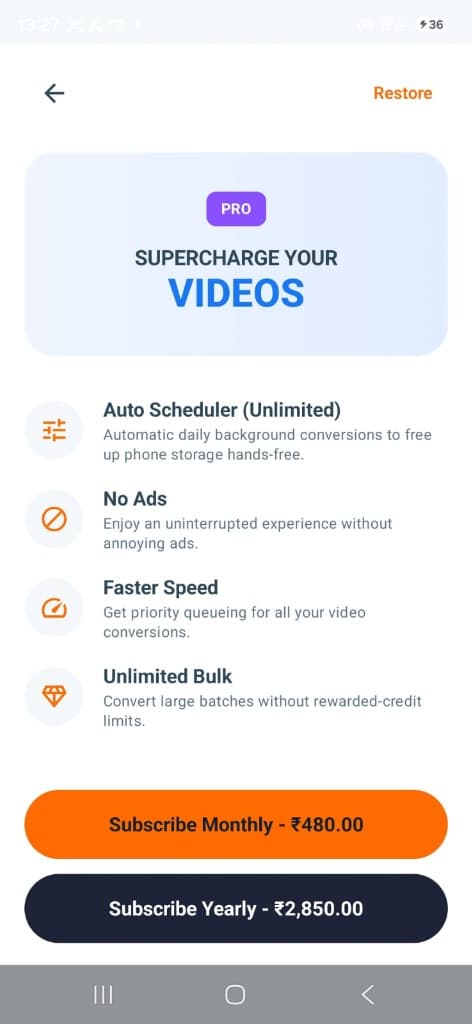
Tired of manually selecting and compressing videos? With VidoLab’s Auto Scheduler, your phone automatically compresses newly recorded camera clips in the background every night while on charge.
Choose your target folder and preferred quality. VidoLab does the rest automatically.
Reclaim up to 10 GB every single week without spending hours managing files.
Runs efficiently during idle charging hours so your daily battery life stays untouched.
Clean, modern, and built specifically for Android phones. No hidden gimmicks.
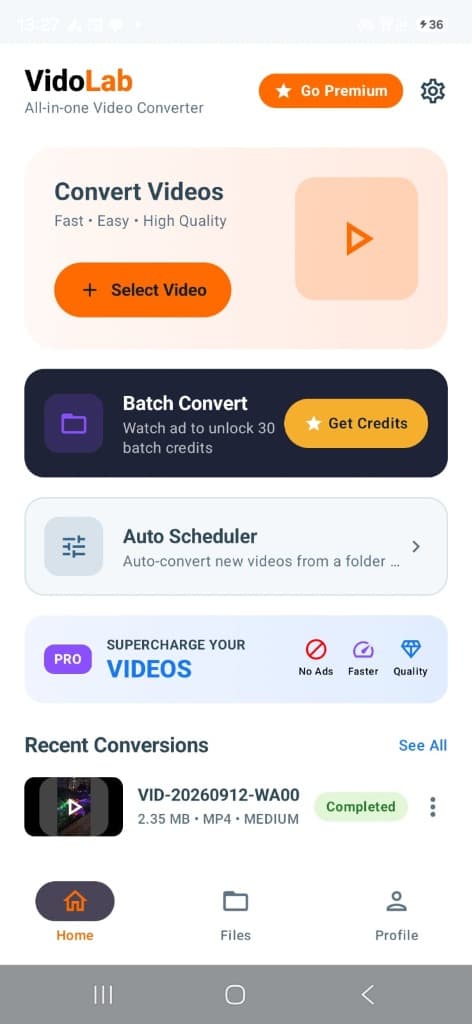
Convert single videos, batch queues, and track recent conversions with 1 tap.
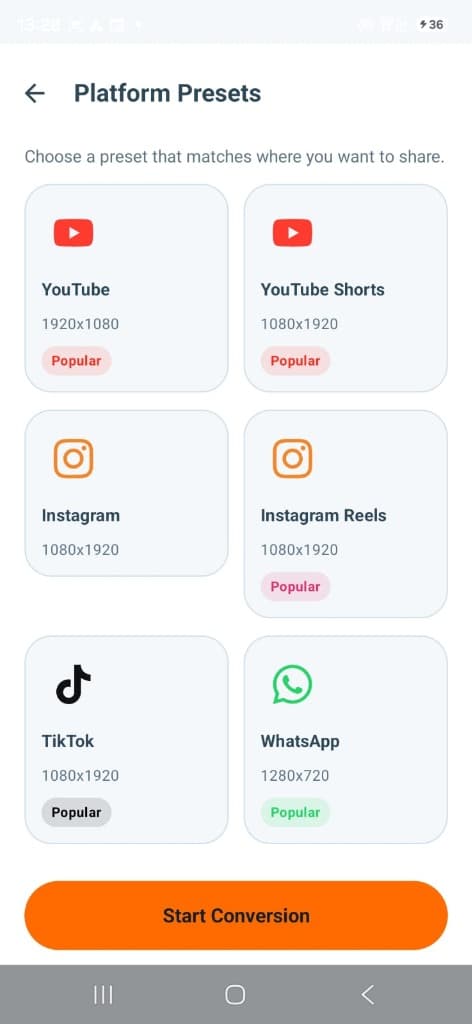
Optimized resolutions for WhatsApp, Instagram Reels, TikTok, and YouTube Shorts.
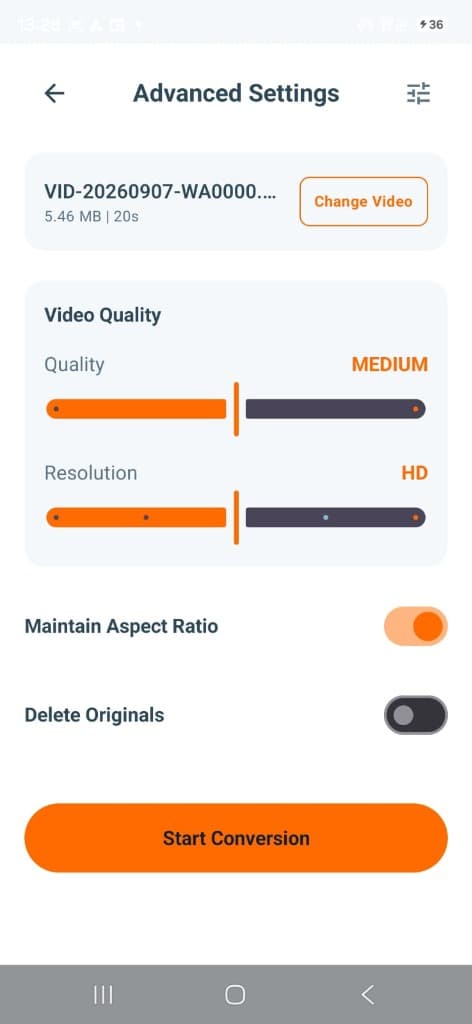
Sliders for HD resolution & bitrate, plus auto "Delete Originals" toggle.
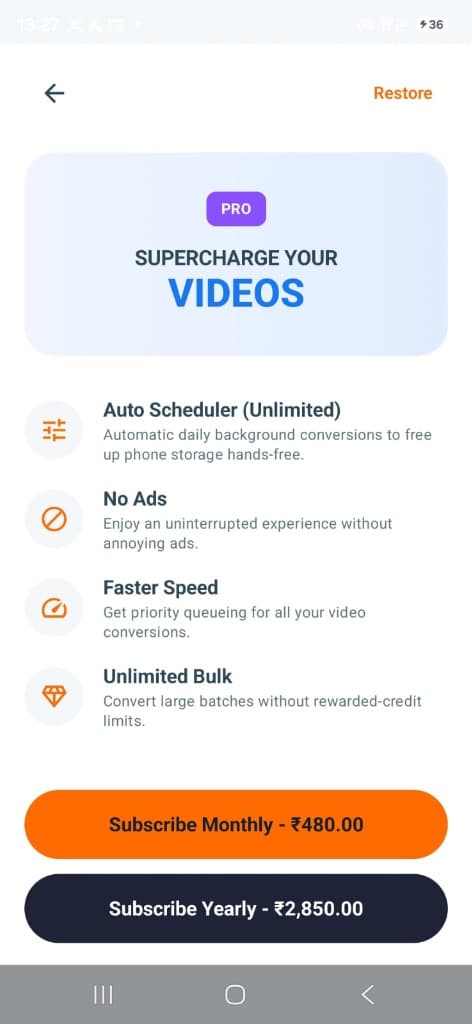
Hands-free background conversions that keep your phone storage free every morning.
WhatsApp and social apps reject videos that exceed standard upload limits or compress them into blurry messes. VidoLab’s specialized presets downsize your video while keeping crisp clarity so you can share instantly.
Never risk uploading personal family memories to unknown third-party cloud servers.
| Feature | VidoLab Android App | Online Web Compressors |
|---|---|---|
| Cloud Uploads | 0% (Stays 100% on device) | Uploads entire 2GB video to web |
| Data Usage | Zero mobile data consumed | Burns gigabytes uploading & downloading |
| Offline Mode | Works on flights & offline |
No complex video editing knowledge needed. VidoLab does the heavy lifting.
Tap "Select Video" for single files or "Batch Convert" to queue up multiple camera clips from your gallery.
Pick a 1-tap preset (WhatsApp, Reels, Shorts) or adjust the quality slider to match your target file size.
Tap "Start Conversion". Your compressed video is saved immediately, saving up to 90% space.
Everything you need to know about VidoLab for Android.
No, never. VidoLab is a 100% on-device Android video compressor. Every single frame is processed locally inside your phone's hardware encoder. No video data is ever transmitted, uploaded, or viewed by anyone else.
You can configure VidoLab to automatically scan your camera folder and compress newly recorded videos during the night while your phone is plugged in. You go to sleep, and wake up with gigabytes of free phone storage without lifting a finger.
Most 4K and 1080p videos can be compressed by 70% to 90% in file size with virtually indistinguishable visual quality. A 1 GB video is often reduced to 100–150 MB.
Install VidoLab from Google Play today. 100% private, on-device video compression.
| Fails without high-speed WiFi |
| Overnight Auto Scheduler | Automatically frees space daily | Not possible on websites |
| Batch Queue | Queue dozens of videos at once | ⚠️ Often limited to 1 file at a time |
Yes! You can select dozens of videos at once and queue them for batch compression. VidoLab processes them sequentially with real-time progress indicators.
Yes! Because all encoding runs on your Android device's hardware, VidoLab works in airplane mode, on flights, in remote areas, or without using a single megabyte of your mobile data plan.
Yes. In Advanced Settings, you can enable the 'Delete Originals' toggle. Once the compressed copy is verified and saved to your gallery, the large original file is safely removed to reclaim space instantly.
VidoLab includes tailored 1-tap presets for WhatsApp (fits under the 16MB/64MB attachment limit), Instagram Reels (1080x1920), YouTube Shorts, TikTok, and full HD YouTube (1920x1080).
VidoLab supports all major video formats including MP4, MKV, MOV, AVI, 3GP, FLV, WEBM, and WMV.
Yes! VidoLab is completely free to install from the Google Play Store with unlimited standard conversions and free rewarded batch credits.